Every Instagram Post Size You Need in 2027
Instagram’s photo limits have changed. Feed photos can now reach 4096 px on the long edge, almost four times the 1080 px width that applied for years, while Stories and Reels stay at 1080 × 1920 px.
This guide covers every new post size, aspect ratio and export setting. It is updated each year when Instagram changes its limits.
Sizes
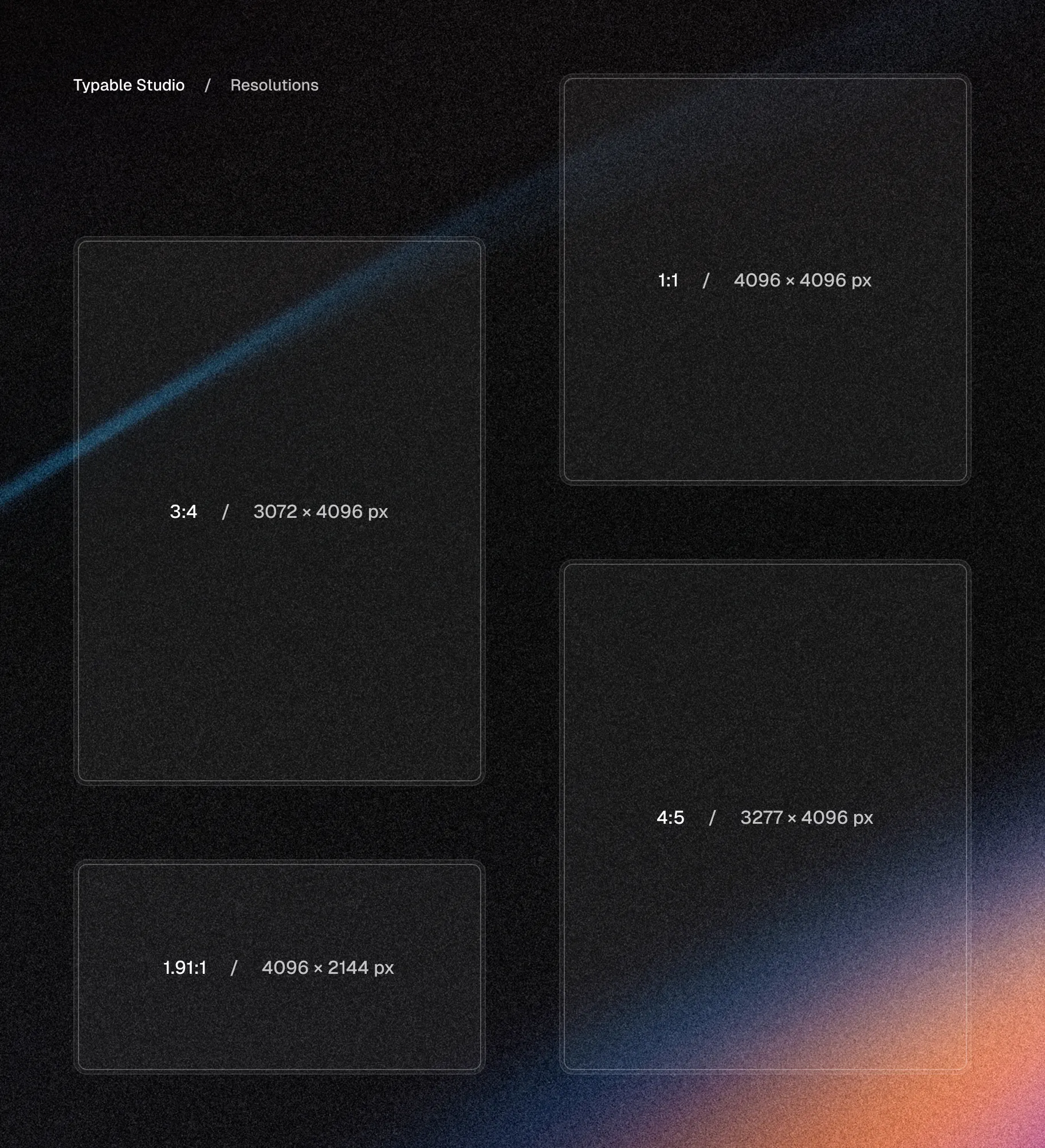
Every feed format now tops out at 4096 px on its long edge. The standard sizes still work; use them as a minimum.
- Tall Portrait (3:4): 3072 × 4096 px maximum, 1080 × 1440 px standard
- Portrait (4:5): 3277 × 4096 px maximum, 1080 × 1350 px standard
- Square (1:1): 4096 × 4096 px maximum, 1080 × 1080 px standard
- Landscape (1.91:1): 4096 × 2144 px maximum, 1080 × 566 px standard
- Stories and Reels (9:16): 1080 × 1920 px, capped at 1080p
Feed
Feed photos can be any shape from 1.91:1 landscape to 3:4 portrait; Instagram crops anything outside that range. Which ratio to pick depends on how you post.
- 3:4 fills the most screen space and matches the profile grid exactly, so nothing is cropped there. Use it when you post from the app.
- 4:5 is the safe choice for scheduling tools, which still reject ratios taller than 4:5. On your profile grid, the left and right edges are trimmed slightly.
- 1:1 suits graphics and product shots, but the grid trims its sides.
- 1.91:1 works for wide scenes but takes the least room in the feed and loses most of its width in the grid.
The profile grid shows every post as a 3:4 thumbnail, so keep key elements inside the central 3:4 area whatever ratio you choose.
Carousels
A carousel holds up to 20 photos and videos, and the first slide sets the ratio for all of them. Export every slide at the same size, ideally 3072 × 4096 px (3:4) or 3277 × 4096 px (4:5).
Slides in a different ratio are cropped to match the first one.
Story and Reels
Stories and Reels use 1080 × 1920 px at 9:16, and the higher feed limits do not apply to them. Keep text and logos away from the top and bottom of the frame, where the app’s buttons and captions sit.
A Reel’s cover shows on your profile grid as its central 3:4 area, so centre your title there.
Export Settings
Export at the exact maximum for your ratio, so Instagram never has to resize the file itself.
- Crop to a supported ratio first: 3:4, 4:5, 1:1 or 1.91:1.
- Resize to the maximum size in the table above, applying your own sharpening at that size.
- Save as JPEG at quality 85. Larger files gain little and upload more slowly.
- Keep the original colour profile. Photos edited in Display P3 can stay in P3; embed the profile rather than converting blindly to sRGB.
- Turn on “Upload at highest quality” in the app’s Media Quality settings before posting.
What’s New in 2027
The biggest change is resolution: feed photos now reach 4096 px on the long edge, almost four times the old 1080 px width limit. A 3:4 photo grows from about 1.5 MP to about 12.6 MP, and fine detail survives when viewers zoom in.
Instagram has not announced the change, and its Help Center still describes the 1080 px limit. Before switching your workflow, check it on your own account:
- Update the app. The higher limits apply to recent versions; older ones may still scale to 1080 px.
- Expect scheduling tools to lag. Meta’s publishing API currently scales images to between 320 and 1440 px wide.
- Check what Instagram serves. Post one photo at the maximum size, open it in a desktop browser, open the image in a new tab and read its pixel dimensions.
Resize your Photos with Typeseed
We built Typeseed to prepare photos for these new sizes in one step. Drop in your photos and it exports each one at the maximum resolution for its ratio, as a JPEG at quality 85.
- Colour profile kept automatically. Photos edited in Display P3 stay in P3.
- Fit or crop per photo. Adjust the framing of each image individually, then export the whole set for a carousel.